


TwoColumns
Usage
The ShTwoColumns constructor enables you to provide any content presented in two
columns and one row.
Note: The
borderinwrapperis only for visual understanding of theShTwoColumnsboundry. Component itself does not have that predefined
Basic (text)
This text is displayed in the left column first row.
Text is displayed in the right column first row.
This text is displayed in the left column second row.
Text text is displayed in the right column second row.
::ShTwoColumns
---
ui:
  wrapper: border
---
This text is displayed in the left column first row.

Text is displayed in the right column first row.

This text is displayed in the left column second row.

Text text is displayed in the right column second row.
::
Basic (text/image)
It is possible to add text or an image to one or to both columns. For example, text and image:
This text should be in the left column.
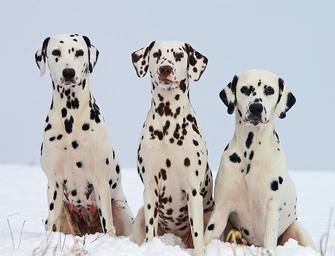
::ShTwoColumns
This text should be in the left column.
{.not-prose .w-full .rounded-2xl}
::
Basic (image/text)
The order of the elements determine the left and right column content.
This text should be in the right column.
::ShTwoColumns
{.not-prose .w-full .rounded-2xl}
This text should be in the right column.
::
Advanced settings
It is possible to nest other components inside of the ShTwoColumns component as e.g., an ShSegment and nest a ShTwoColumns component to provide special effects. For instance the following example contains:
- Two columns
- Column 1: Contains an image with inline style.
- Cloumn 2: It is a
ShSegmentwith background color, shadow and other special styles which in turn contains:- Markdown text,
- Bullet list,
ShTwoColumns: A nestedShTwoColumnsmodule at the bottom of the second column which contains:- Sub-Column 1: A markdown text styled inline,
- Sub-Column 2: An image that has been styled by rounding the corners.

For more elaborated content in one of the columns it's better to utilize the ShSegment
component.
This component enables more Markdown content to be added to the column. This content can contain all available contractors as other parts of the Markdown document:
- lists, images, tables, links
- other components
It can contain nested ShTwoColumns component as well, if that is needed for achieving
desired effect.
::ShTwoColumns
{.not-prose .w-full .rounded-2xl .shadow-2xl}
:::
::
::
::ShTwoColumns
---
ui:
wrapper: shadow-2xl
---
{.not-prose .w-full .rounded-2xl .shadow-2xl}
:::ShSegment
---
ui:
wrapper: bg-cyan-300 rounded-2xl border shadow-md p-1 # Comment
---
For more elaborated content in one of the columns it's better to utilize the `ShSegment`
component.
This component enables more *Markdown* content to be added to the column. This content
can contain all available contractors as other parts of the *Markdown* document:
* lists, images, tables, links
* other components
It can contain nested `ShTwoColumns` component as well, if that is needed for achieving
desired effect.
::doc-example
---
code: |
::ShTwoColumns
{.not-prose .w-full .rounded-2xl .shadow-2xl}
:::ShSegment
---
ui:
wrapper: bg-cyan-300 rounded-2xl border shadow-md p-1 # Comment
---
For more elaborated content in one of the columns it's better to utilize the `ShSegment`
component.
This component enables more *Markdown* content to be added to the column. This content
can contain all available contractors as other parts of the *Markdown* document:
* lists, images, tables, links
* other components
It can contain nested `ShTwoColumns` component as well, if that is needed for achieving
desired effect.
::ShTwoColumns
---
size: 2XL
---
[Let your creativity blosom]{.text-4xl .bg-gradient-to-r .from-blue-600 .to-orange-400 .bg-clip-text .text-transparent .inline-block}
{.not-prose .w-1/2 .rounded-full}
::
:::
::
---
::
You can notice that in the right column, encoupsulated with ShSegment
component there is a ShTwoColumns component with different withs of the
columns.
The relationship between sizes of two columns can be controled using the property size.
The values of this property are define in T-shirt sizes starting from '2XS' all the
way up to '4XL', see below. Default value of the size property is 'L'.
Two-Columns and Size
The image displayed below is composed of the following components:
- An
ShSegmentcomponent that nests severalShTwoColumnscomponents, with one for each row. TheShTwoColumnscomponent uses thesizeattribute to define the width of the left column. - Inside each
ShTwoColumnscomponent, twoShSegmentcomponents are nested. TheseShSegmentcomponents use thewrapperattribute to provide background color and text to define the size (left column) and proportion (right column).
2XS
9/10
XS
4/5
S
3/4
M
2/3
L
1/2
XL
1/3
2XL
1/4
3XL
1/5
4XL
1/10
::ShSegment
---
ui:
  wrapper: grid grid-rows-1 gap-4
---
  ::ShTwoColumns
  ---
  size: 2XS
  ---
    :::ShSegment
    ---
    ui:
      wrapper: bg-slate-200 text-center dark:text-black
    ---
    2XS
    :::

    :::ShSegment
    ---
    ui:
      wrapper: bg-slate-300 text-center dark:text-black
    ---
    9/10
    :::
  ::

  ::ShTwoColumns
  ---
  size: XS
  ---
    :::ShSegment
    ---
    ui:
      wrapper: bg-slate-200 text-center dark:text-black
    ---
    XS
    :::

    :::ShSegment
    ---
    ui:
      wrapper: bg-slate-300 text-center dark:text-black
    ---
    4/5
    :::
  ::

  ::ShTwoColumns
  ---
  size: S
  ---
    :::ShSegment
    ---
    ui:
      wrapper: bg-slate-200 text-center dark:text-black
    ---
    S
    :::

    :::ShSegment
    ---
    ui:
      wrapper: bg-slate-300 text-center dark:text-black
    ---
    3/4
    :::
  ::

  ::ShTwoColumns
  ---
  size: M
  ---
    :::ShSegment
    ---
    ui:
      wrapper: bg-slate-200 text-center dark:text-black
    ---
    M
    :::

    :::ShSegment
    ---
    ui:
      wrapper: bg-slate-300 text-center dark:text-black
    ---
    2/3
    :::
  ::

  ::ShTwoColumns
  ---
  size: L
  ---
    :::ShSegment
    ---
    ui:
      wrapper: bg-slate-200 text-center dark:text-black
    ---
    L
    :::

    :::ShSegment
    ---
    ui:
      wrapper: bg-slate-300 text-center dark:text-black
    ---
    1/2
    :::
  ::

  ::ShTwoColumns
  ---
  size: XL
  ---
    :::ShSegment
    ---
    ui:
      wrapper: bg-slate-200 text-center dark:text-black
    ---
    XL
    :::

    :::ShSegment
    ---
    ui:
      wrapper: bg-slate-300 text-center dark:text-black
    ---
    1/3
    :::
  ::

  ::ShTwoColumns
  ---
  size: 2XL
  ---
    :::ShSegment
    ---
    ui:
      wrapper: bg-slate-200 text-center dark:text-black
    ---
    2XL
    :::

    :::ShSegment
    ---
    ui:
      wrapper: bg-slate-300 text-center dark:text-black
    ---
    1/4
    :::
  ::

  ::ShTwoColumns
  ---
  size: 3XL
  ---
    :::ShSegment
    ---
    ui:
      wrapper: bg-slate-200 text-center dark:text-black
    ---
    3XL
    :::

    :::ShSegment
    ---
    ui:
      wrapper: bg-slate-300 text-center dark:text-black
    ---
    1/5
    :::
  ::

  ::ShTwoColumns
  ---
  size: 4XL
  ---
    :::ShSegment
    ---
    ui:
      wrapper: bg-slate-200 text-center dark:text-black
    ---
    4XL
    :::

    :::ShSegment
    ---
    ui:
      wrapper: bg-slate-300 text-center dark:text-black
    ---
    1/10
    :::
  ::
::
Props
| Prop | Type | Default | Description |
|---|---|---|---|
ui | Record<string, any> | – | Overrides the default classes of the UI config below. Values are merged with the defaults using tailwind-merge. |
description | string | "" | Note for content writers. It is not rendered on the website. |
size | keyof typeof VALID_SIZES | DEFAULT_SIZE | Optional. Specifies the width of the left column. Options: `2XS`, `XS`, `S`, `M`, `L`, `XL`, `2XL`, `3XL` & `4XL` |
gap | string | "gap-4" | Gutter between the columns, as a Tailwind CSS `gap-*` class (see tailwindcss.com/docs/gap). |
class | any | – | Additional classes applied to the root element of the component. |
Slots
default
UI config
Default classes of every styled element. Override any key through the ui prop.
| Key | Default classes | Description |
|---|---|---|
wrapper | "" | Container of the two columns. Use it to add a border or background. |